Ask only what matters
Use preset prompts and focused follow-up questions to capture the missing process context.
Turning a blank workflow builder into a guided creation path where users can describe a process, review the proposed structure, and finish the template themselves.
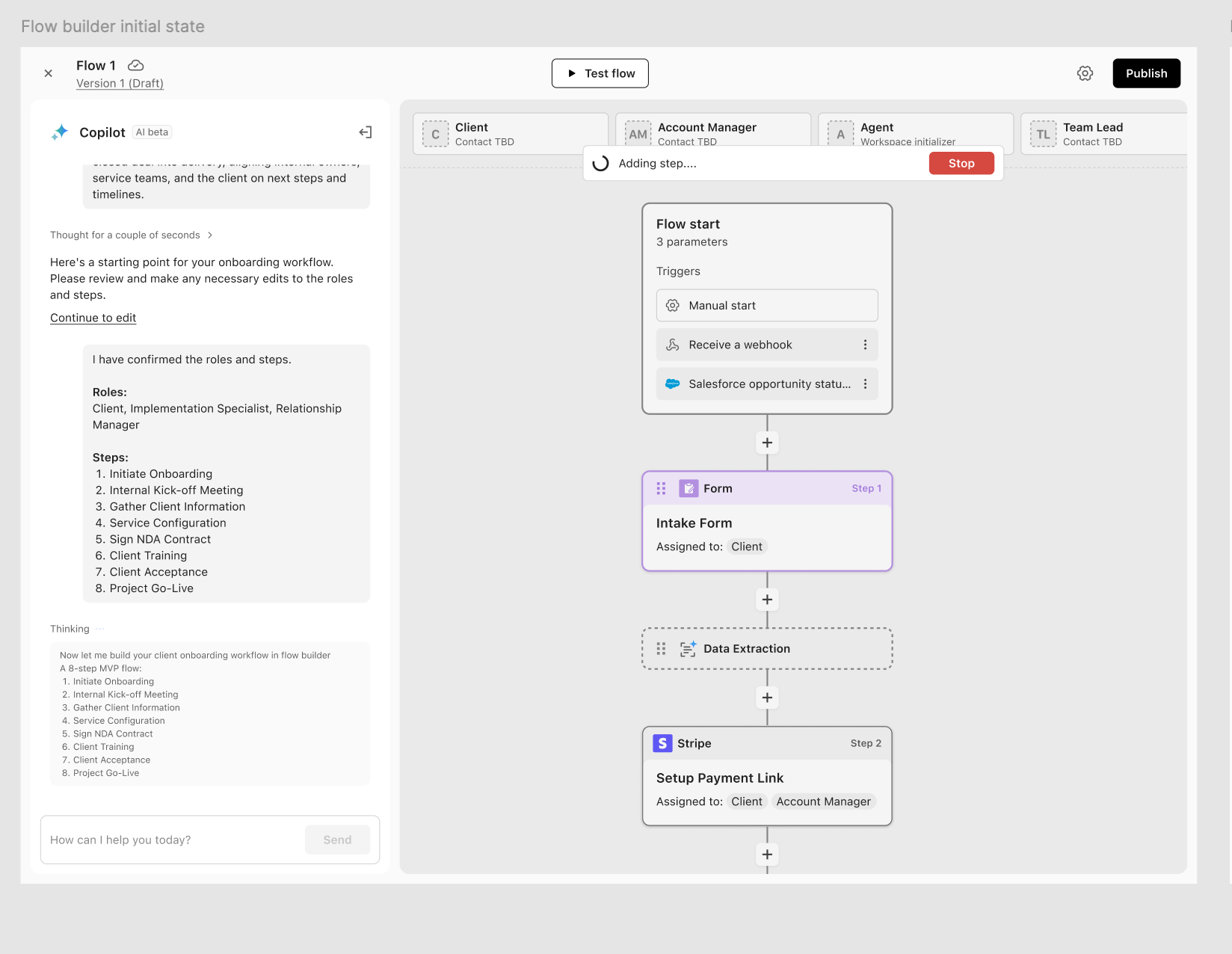
I designed the end-to-end assistant experience for Moxo's Create Template flow. Internally, it belonged to Moxo's AI Copilot, but the product problem was not simply adding another entry point.
My work covered the website prompt entry, registration guidance, in-product prompt flow, generated canvas behavior, assistant feedback states, and error handling.
The goal was to help org admins and members with template creation permission build workflow templates for client-facing or internal processes, such as client onboarding, contract signing, project progress tracking, information collection, payments, approvals, and automated follow-ups.
Workflow templates are powerful, but hard to start from scratch. Users need to translate real business processes into actions, roles, assignees, files, signatures, payments, forms, and automation logic.
For new users, a blank builder created too much friction. They often knew the business process they wanted to run, but not how to structure it into a reusable workflow that clients or internal teams could follow.
The assistant could help users get started faster, but a one-step draft was not enough. Prompts can be incomplete, vague, or missing the role and process context needed to build a useful workflow.
I focused on making the creation process reviewable. Before a flow appeared on the canvas, users needed to see what the system understood, correct the structure, and know what still required setup.
Use preset prompts and focused follow-up questions to capture the missing process context.
Place the proposed flow on the canvas so every role, action, and step remains editable.
Turn missing accounts, files, assignees, and off-topic prompts into specific next steps.
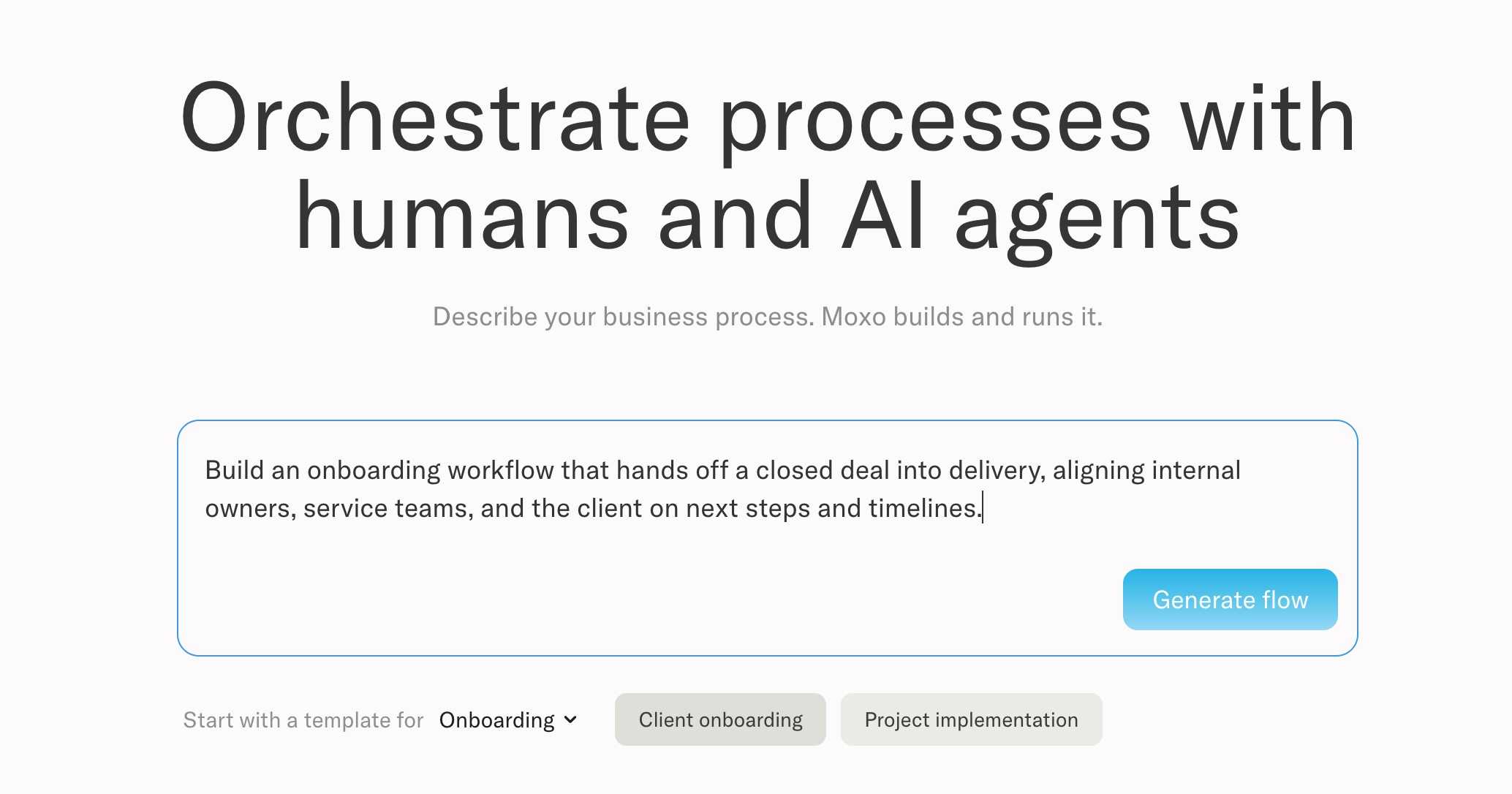
I split the entry into two paths. Users who already knew their process could write it in their own words. Users who needed a starting point could choose a preset business process and refine it from there.
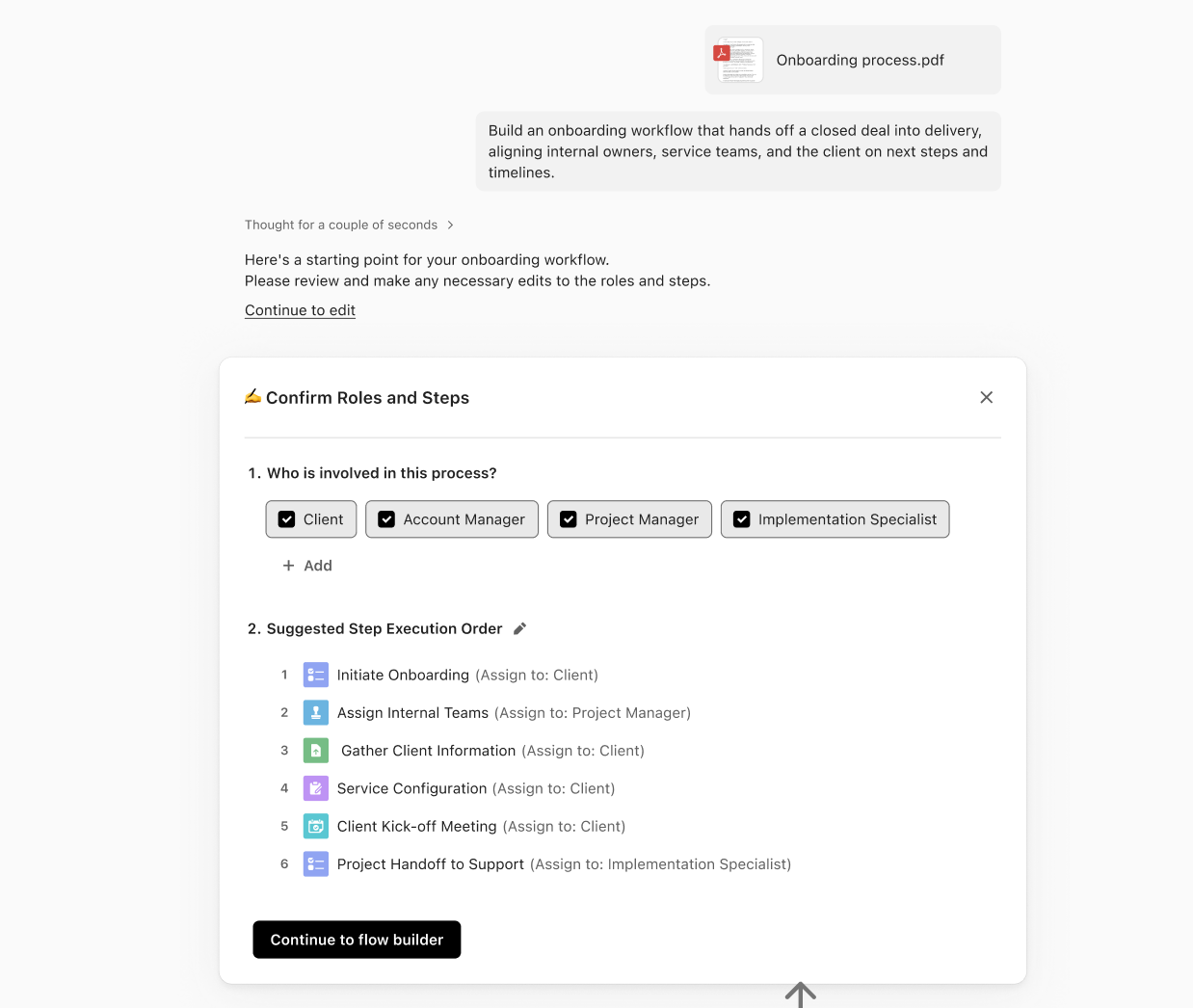
When the prompt does not include enough context, the assistant asks clarifying questions instead of creating a weak workflow. If the system cannot identify roles, it asks who is involved. When the process is clearer, it can suggest a step execution order or ask users to select a business process.
This turned the response into a reviewable brief: users could confirm roles, adjust the suggested order, and understand what would be used before the flow was created.
After the user confirms the roles and steps, the assistant creates a base flow inside the template builder canvas. Users can inspect the structure, edit each action manually, or ask for targeted refinements.
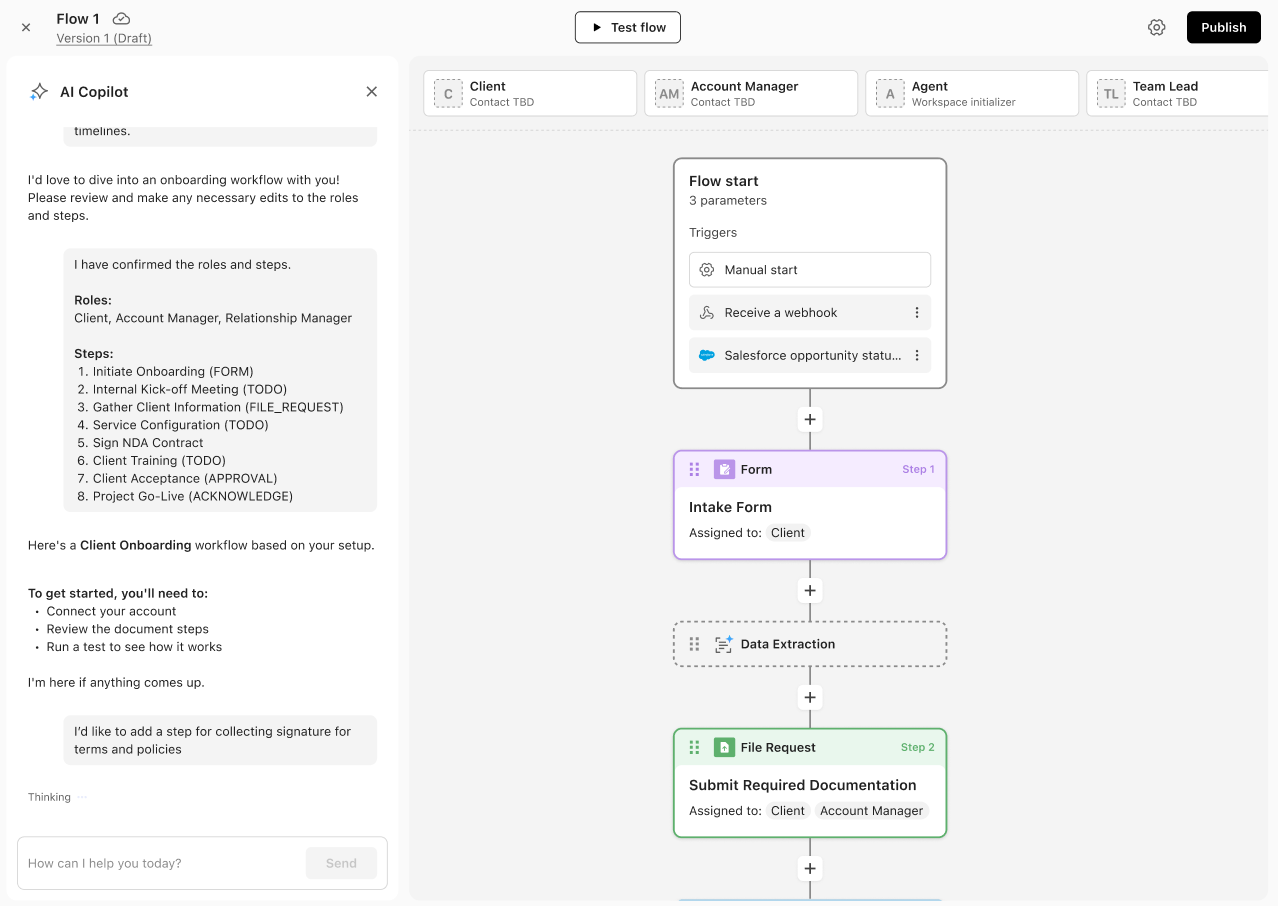
The assistant does not treat the first draft as the end of the experience. It guides users through incomplete setup, such as connecting an account, uploading required files, reviewing document steps, or resolving missing assignees.
The goal was to make every incomplete state actionable: the user should know what is missing, why it matters, and how to fix it without leaving the creation flow.
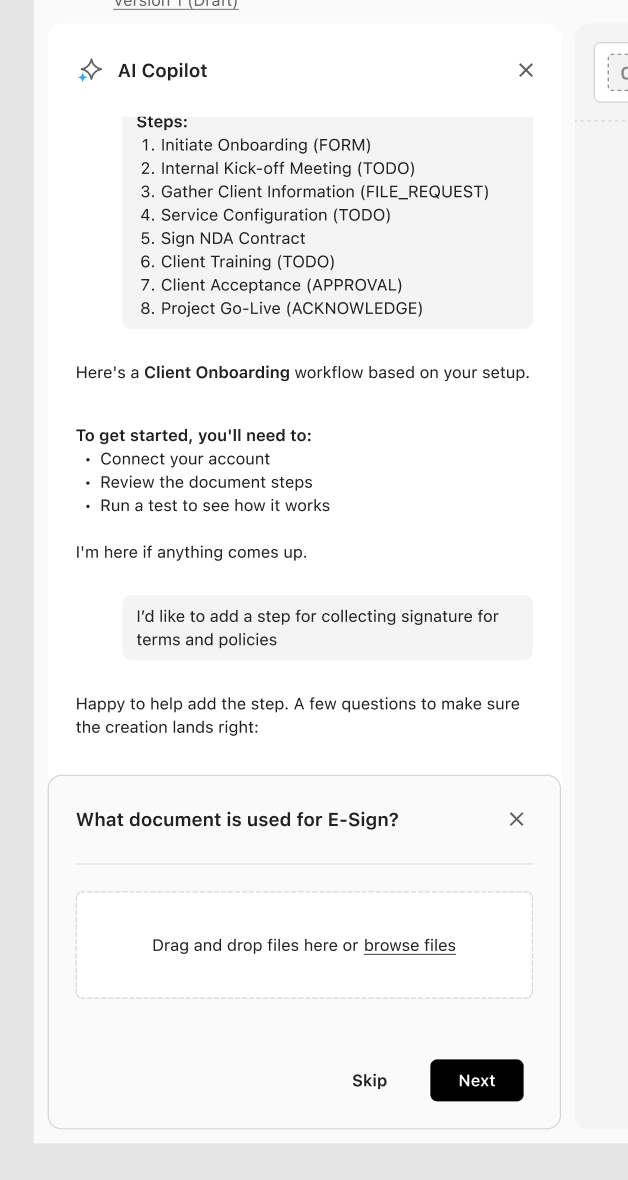
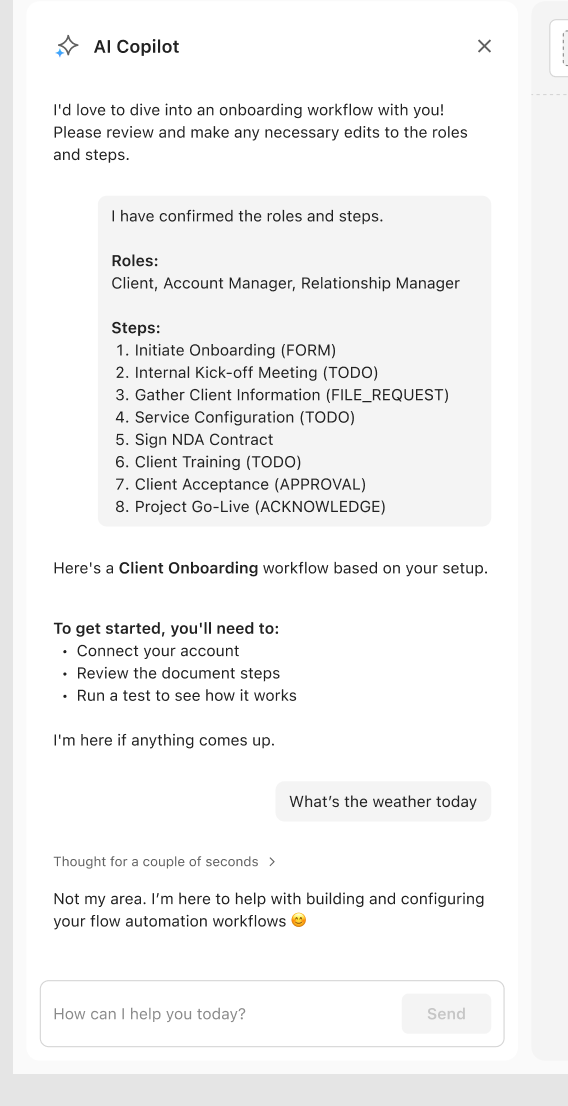
The work spanned more than one screen. I designed the website prompt entry, registration guidance, transition into the product, prompt input, clarification states, first workflow draft, editable builder behavior, and missing setup feedback.
prompts submitted in the first 6 hours after launch.
The website prompt flow helped users start creating workflows immediately after launch. It also gave the team a clearer view of the business scenarios users were trying to build, which informed future onboarding and template creation improvements.
The important shift was not to make workflow creation feel automatic. It was to make each suggestion legible, editable, and easy to finish.